Hotel TV
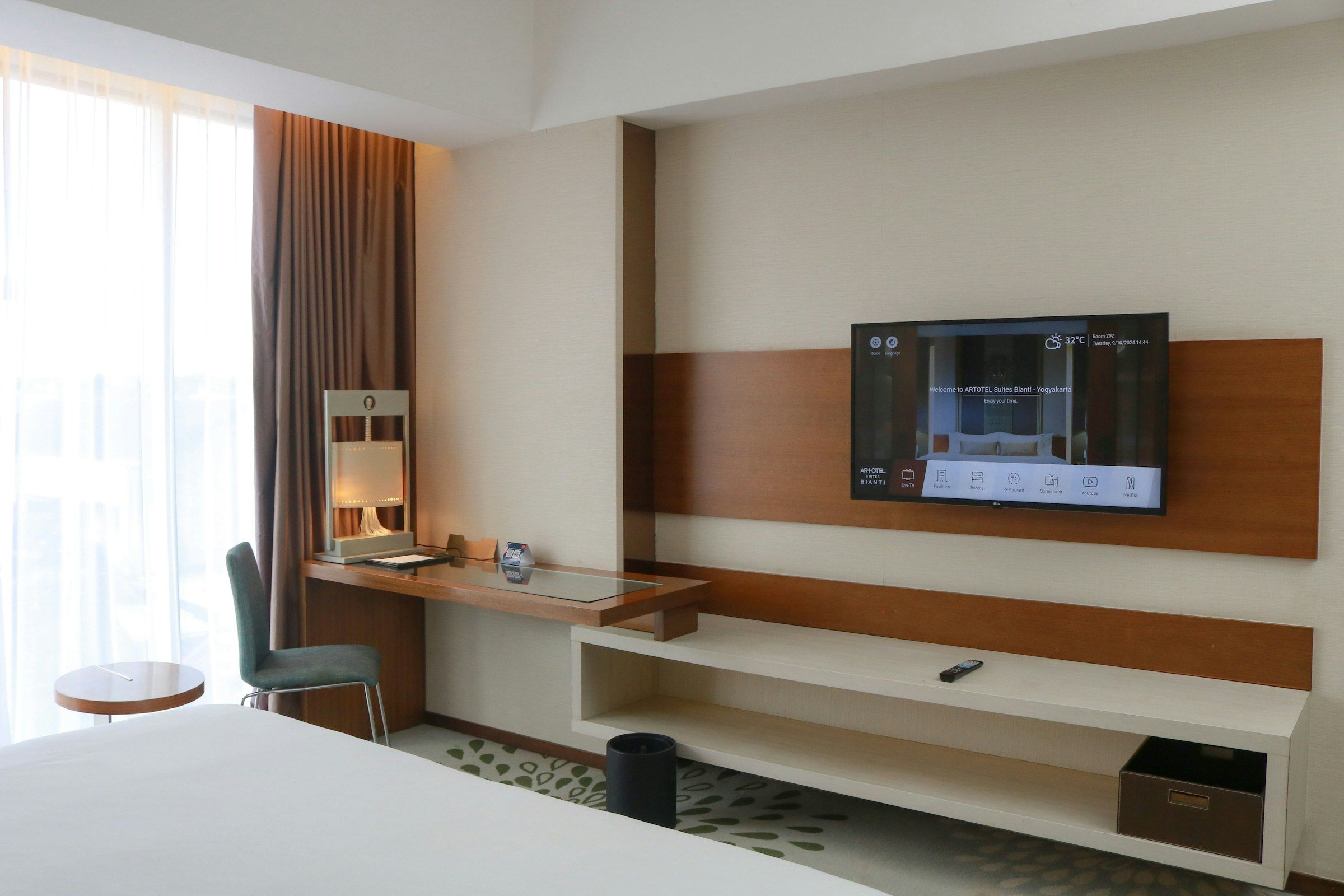
When a guest enters the room, they're welcomed by name, they order room service from the TV, and they see their bill at checkout. You send announcements and messages to every room from one panel.
Welcome, Ayşe
Room 412
What you can do
Welcome screen
The in-room TV welcomes the guest by name on check-in.
PMS integration
Language and name come through automatically from your PMS at check-in.
Live TV
Local and foreign channels are watched from a single interface.
Hotel guide
Restaurant, spa and opening hours are shown on the screen.
Room service
The guest orders from the TV and the order goes straight to the kitchen.
Express checkout
The bill is shown on the TV, so guests can leave without stopping at the front desk.
Hotel-wide announcements
Send a message or announcement to every room from one panel.
Brand-independent
Works with different TV brands, so you don't need to replace what you already own.
For hotels
- Guests reach room service, their bill and hotel information without calling the front desk.
- Front-desk load drops because language and name arrive automatically at check-in.
- Send the same announcement or emergency message to every room at once.
For companies
- Companies with staff guesthouses or training facilities can use the same system on their in-room TVs.
- Guest rooms can show a corporate welcome message and internal information.
Technical details
- Platforms
- Samsung (Tizen), LG (webOS), Android TV, Vestel (VIDAA, TiVo, Google TV)
- Security
- Guest data is kept separate per room and cleared at check-out.
Frequently asked questions
How does guest information reach the TV?
Through your PMS integration — name and language come through automatically at check-in.
Where do room service orders go?
The order goes straight to the kitchen or reception screen you choose.
Can different room types show different content?
Yes, the guide and announcement content can differ by room type.
Can we also run a guest satisfaction survey?
Yes, a short satisfaction survey can be shown on the TV before checkout.
Try it in a small area first
Let's try the first installation in a small area; see the results, then decide.